Wine Shop Barcode Scanner: Which One Works and How to Bill Right
Published By: Jatin Monga (CEO) on 07 Nov 2026
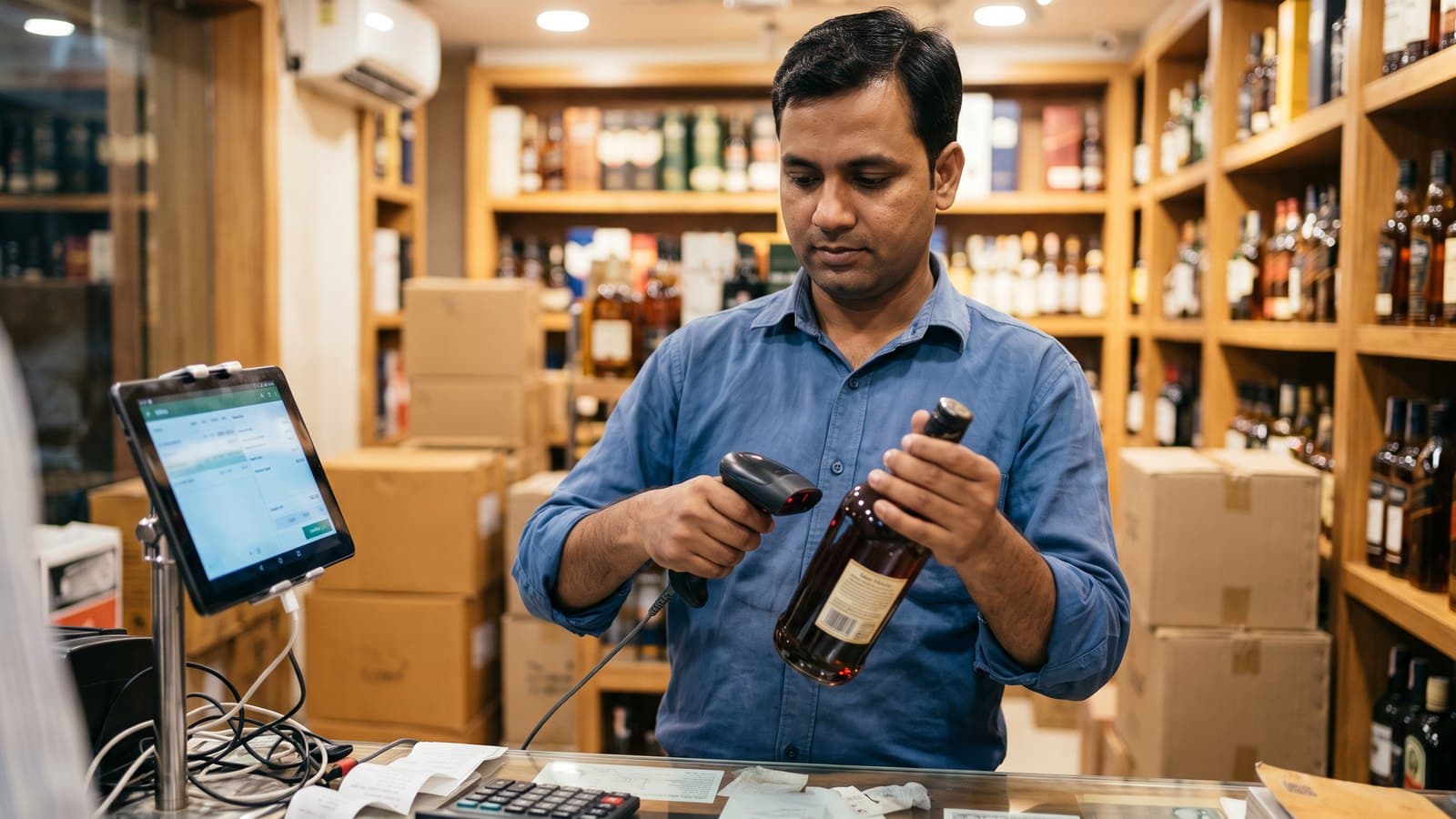
A wine shop barcode scanner is the small handheld reader that turns the barcode on a bottle label into a line on the bill. A good one reads the label in a moment, even when the bottle is curved, cold or wet.
Most owners think the scanner is the hard part. It is not. The real trouble starts when one barcode points to the wrong bottle. The scanner beeps, the bill prints, and the customer leaves. At night the stock does not tally, and nobody knows why.
This guide covers both parts. First, which scanner works on a liquor counter. Then, why one barcode can sit on two sizes, and how to set up your shop so every scan bills the right bottle. If you are still choosing your billing system, see how a wine shop POS built for liquor handles scans.
What a barcode on a bottle actually tells you
The barcode on a bottle label is a product number. In India and most of the world it is an EAN-13 code, which has 13 digits. The first three digits are the prefix of the country where the number was registered. The last digit is a check digit, which helps the scanner catch a bad read.
The barcode says which product it is. It does not say the price, the batch or your shop's name. Your billing software looks up the number in its own product list and finds the name, size and MRP you saved against it.
So the scanner only reads a number. Everything after that depends on how well your product list is set up. A perfect scanner with a messy product list still gives you wrong bills.
Which wine shop barcode scanner works on a liquor counter
There are three common types. Each has a place.
USB wired scanner
This plugs into your PC or tablet with a cable. It needs no charging and no pairing. A basic wired scanner is an inexpensive one-time purchase. For one fixed counter, it is the safest choice.
The cable is the only downside. If your staff picks bottles from a crate on the floor, the cable will not reach.
Wireless scanner
This connects by Bluetooth or a small USB receiver. Staff can walk to the shelf or the crate and scan there. It needs charging, so keep a charger at the counter and charge it every morning. A dead battery at 8 pm stops billing.
2D imager or camera scanner
Older scanners use a red laser line. They read only the plain striped barcode. A 2D imager takes a picture of the code instead. It reads striped barcodes and square QR codes, and it also reads codes off a phone screen. A laser scanner cannot do those last two.
Imagers also do better on scratched or smudged labels, because the software can fill in a damaged bar. The camera on a tablet or phone can scan too. It is slower than a proper scanner at rush hour, so use it as a backup.
What to check before you buy
Test the scanner on your own bottles, at your own counter. Check these five things:
Curved labels. Scan a small 180 ML bottle and a round 750 ML bottle. Both should read on the first try.
Wet and cold labels. Take a beer can and a bottle straight from the chiller. Condensation on the label should not stop the read.
Scratched labels. Pick the oldest, most rubbed bottle on your shelf and try it.
Rush-hour speed. Scan ten bottles in a row as fast as staff would between 6 and 10 pm. Count the misses.
Your device. Plug it into the tablet or PC you will bill on. Open your billing screen and confirm each scan lands on the bill.
If you are also choosing the tablet, printer or PC, our billing machine guide compares the options for UP and Haryana counters.
Why one barcode can sit on two bottles
This is where wrong bills come from. The scanner reads the number correctly. The number itself leads to the wrong bottle.
The same barcode on two pack sizes
The global barcode standard says a new pack size must get a new number. In real shops, you will still find the same barcode printed on a 180 ML and a 375 ML of the same brand. If your product list saves that barcode against the 180 ML, every 375 ML you scan gets billed as a 180 ML.
An old label and a new label
Brands change labels. Sometimes the new label carries a new barcode, and sometimes it keeps the old one. If you saved only the old number, the new bottle does not scan at all. Staff then picks the product by hand, often the wrong size.
A barcode missing a leading zero
Some barcodes are 12 digits long and some are 13. A 12-digit code becomes the 13-digit version by adding a zero at the front. Spreadsheets love to drop that leading zero when you type or paste a number. Your product list then holds a number that no scanner will ever send. The bottle stops scanning, or it matches nothing.
Two variants under one number
A brand may sell a plain and a flavoured version, or a regular and a premium edition, with very similar labels. If both are saved under one barcode, every sale goes to one of them. The other shows stock that never moves.
How a wrong match breaks your stock and your registers
One wrong scan looks small. Over a month it adds up.
Say the 375 ML is billed as a 180 ML every time. The bill shows the 180 ML price, so your cash and your bill do not match. Your system shows the 180 ML selling fast and the 375 ML not selling at all. At the end of the month, the 375 ML shelf is empty but the system says stock is there. The 180 ML shows a shortage that is not real.
In UP, your daily category registers and your monthly MST stock report are built from these sales. A wrong size in billing becomes a wrong number in the register. In Haryana, the stock you report is also only as good as your billing. A wrong count may only be a billing mistake, but you still have to explain it at inspection.
The fix is not a better scanner. The fix is a clean barcode list and a habit at the counter.
How to bill without barcode errors
Map every barcode to one variant when you set up the shop
Before you start billing, go through your product list once. Each barcode should point to exactly one product and one size. Do this when the shop is set up, not after the first bad month.
Scan one bottle of every size from the shelf, and check the screen shows the right name and size.
If two sizes share a barcode, keep it on the size you sell most. Bill the other size by name or with your own code.
Save barcodes as text, never as numbers, so the leading zero stays.
When a new label arrives, scan it on the day the stock comes in. Add the new number to the same product.
Scan, then look at the screen
Train staff to glance at the screen after every scan. The size and price on the screen should match the bottle in hand. This takes a second. It saves an hour of hunting at night.
Bottles with no barcode or an unreadable one
Some packs may have no barcode, and some labels get torn. For these, keep a short list of quick codes or a search by name on the billing screen. Never scan a similar-looking bottle in its place. This shortcut causes many of the gaps that show up at month end.
The excise QR code is not the product barcode
Many owners search for a "wine shop qr code scanner" when they mean the excise scan. In UP, the bottle carries two different codes with two different jobs.
The product barcode on the label belongs to the brand. Your billing software uses it to find the product and price.
The excise QR code on the cap belongs to the excise department. It identifies that single bottle. A 2021 report described the plan in UP: each bottle's QR code is scanned at sale on a machine linked to the excise system, the details go to the department's server, and the system can tell which shop the bottle was allotted to.
Do not mix them up. Scanning the excise QR does not bill the bottle in your shop software, and billing does not replace the excise scan. Rules on excise scanning change, so confirm your shop's scan rules with your district excise office. In Haryana, ask the district excise office the same question.
How BottleShop handles barcodes at the counter
BottleShop is India's first liquor-only POS. It was built for liquor shops from the first day.
When we set up your shop, every barcode is mapped to one product and one size. We check pack sizes and leading zeros with you before the first bill. When the same barcode sits on two sizes, we sort it out with you during setup.
At the counter, a scan lands on the bill in under one second, so the 6 to 10 pm rush keeps moving. The screen shows the product name and size, so staff can check each scan. Stock moves with every bill, so the stock on screen follows your shelf.
If the internet drops, billing continues in full offline mode. The bills sync on their own when it returns. BottleShop runs on an Android tablet and works with a standard barcode scanner. In UP, your daily category registers and the monthly MST are built from the same bills.
For a single counter, the Essential plan gives you 1-second billing, inventory and stock transfer, and 1 billing device. If you bill on two or three counters at rush hour, the Business plan covers up to 3 billing devices. Plans start at Rs. 25,000 a year, about Rs. 70 a day. You can see all features on our home page.
BottleShop is live in 10 states with zero churn.
Frequently Asked Questions
Which wine shop barcode scanner is best for a small counter?
For one fixed counter, a basic USB wired scanner is the safest choice. It needs no charging and no pairing. If staff scans bottles away from the counter, pick a wireless one. If you also want to read QR codes or codes on a phone screen, choose a 2D imager.
Can a barcode scanner read a curved or wet bottle label?
Most good scanners read curved labels on 180 ML and 750 ML bottles. Wet or scratched labels are harder. A 2D imager usually handles damaged labels better than a laser scanner. Test any scanner on your own chilled and oldest bottles before you buy it for the counter.
Why does my scanner bill the wrong size?
Usually the scanner is fine. The barcode in your product list is saved against the wrong size, or the brand printed the same barcode on two pack sizes. Scan one bottle of each size and check the screen. Each barcode should point to exactly one product and one size.
Why does a bottle stop scanning after a new stock arrives?
The brand may have changed the label and the barcode. The number on the new bottle is not in your product list. Scan the new label on the day the stock arrives, and add that number to the same product, so both old and new labels bill correctly.
Is the excise QR code on the cap the same as the product barcode?
No. In UP, the product barcode on the label tells your billing software which product it is. The excise QR code on the cap identifies that one bottle for the excise department. They do different jobs. Confirm your shop's excise scan rules with your district excise office.
Can I bill with a barcode scanner on an Android tablet?
Yes. Most wired and wireless scanners work with an Android tablet. BottleShop runs on an Android tablet, bills in under one second, and keeps billing offline when the internet drops. Plug the scanner in, open the billing screen, and check that each scan lands on the bill.
Stock milane ka sirdard ab khatam ho gaya. For a free inventory audit of your shop, message us on WhatsApp at +91 84473 30196.
Last updated: 7 November 2026