Wine Shop Billing Machine 2026 Guide for UP and Haryana Shops
Published By: Jatin Monga (CEO) on 03 Oct 2026
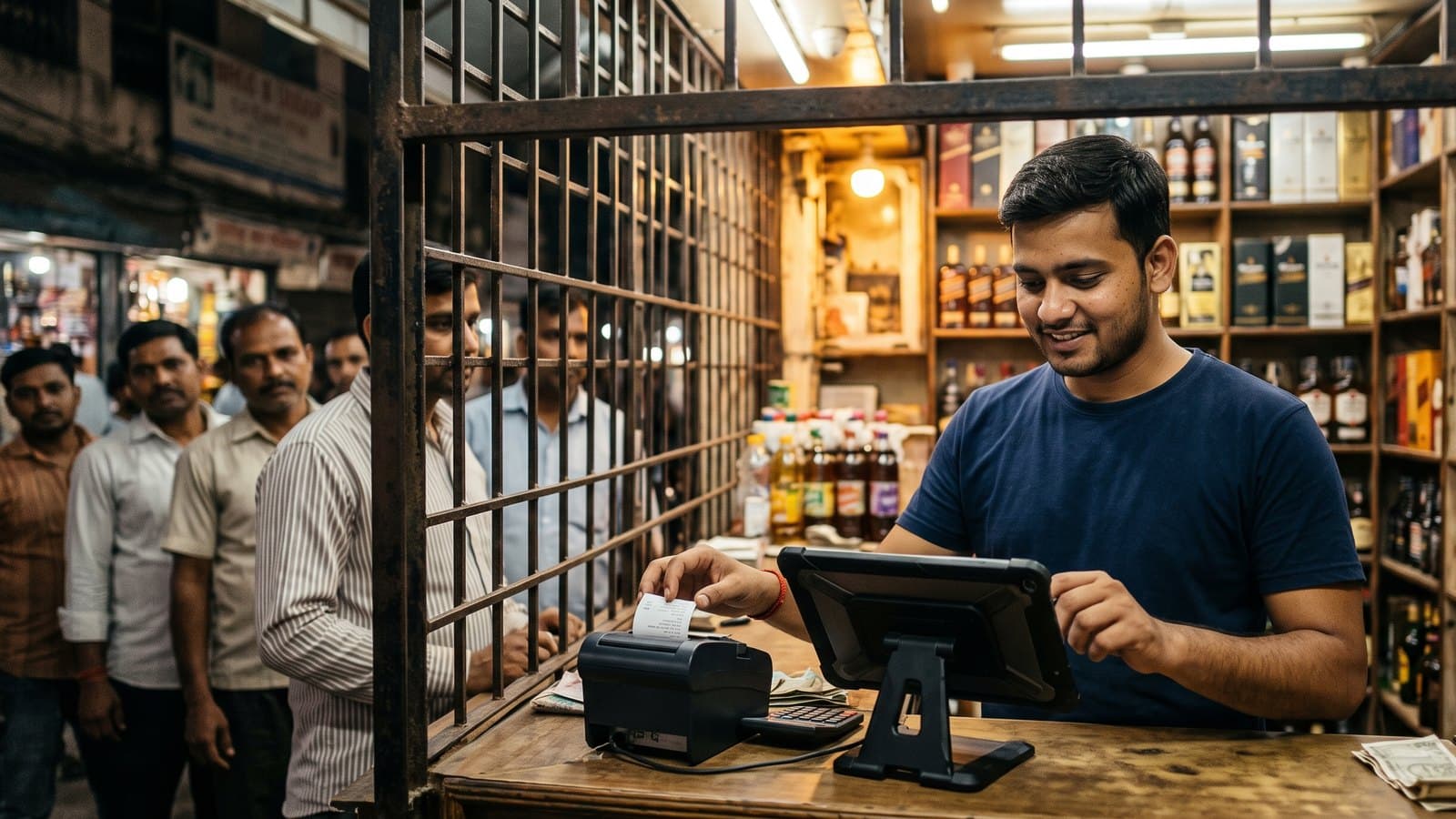
A wine shop billing machine is the device on your counter that makes each bill, prints it and records the sale. For a liquor shop in UP or Haryana, it also has to survive the evening rush, a dead internet line and the excise registers.
Many owners still bill by hand or on an old PC. Others bought a machine made for a kirana store. It works on a quiet afternoon. At 8pm on a Saturday, with ten hands at the grill, it slows down and customers walk to the next shop.
This guide compares the three real choices for a liquor counter. It shows what each one costs to buy and run. It ends with a checklist that a kirana machine will not pass.
Why a liquor counter is harder than a kirana counter
A kirana bill has many items and a patient customer. A liquor bill has two or three items and a customer in a hurry. The same brand comes in four or five pack sizes. The customer says "one quarter and two strong beers" and wants the bottles in seconds.
The rush comes in the evening, from 6pm to 10pm. A slow screen at that hour costs you more than a slow screen all morning.
Then the excise work starts. In UP, the shop keeps daily registers by category: IMFL, wine, beer 5% and beer 8%. Every month the MST stock report is due. A machine that only prints bills leaves all of this to someone with a pen at closing time.
This is why wine shop billing software made for liquor matters more than the box it runs on. The box is a buying decision. The software decides how your night goes.
The three real choices for your counter
A standalone POS billing machine
This is a small box with a keypad or a touch screen and a printer built in. You buy it from a local dealer, switch it on, and it bills.
It suits a shop with a short item list. It struggles with a liquor list where one whisky has four sizes and prices change often. Most of these machines are made for any shop. They do not know what an excise register is. On many models the reports stay inside the machine, so the owner has to be at the shop to see them.
A Windows PC with billing software
Many older shops already have a desktop PC at the counter. The billing software is installed on it, and a computer person looks after it.
A PC has a big screen and a full keyboard. But it shuts down in a power cut unless you have a UPS. Updates and viruses arrive at the worst time. If the software lives only on that one PC, your data lives there too. When the PC fails, billing stops until the repair person comes.
An Android tablet with a liquor POS
The third choice is a 10 or 11 inch Android tablet with a small thermal printer beside it. The software runs on the tablet and keeps a copy of your data online.
A tablet has its own battery, so a short power cut does not stop billing. It is light and fits a narrow counter behind a grill. If it breaks, you buy another one and log in again. The owner sees the same numbers on his phone.
What each setup costs to buy and run
These prices come from Indian online listings we checked in early October 2026. Your local dealer may quote a different price, so use them as a guide.
Standalone billing machine with a built-in 2-inch printer: about Rs. 12,500 to Rs. 20,000 plus GST for branded shop models. Handheld models start lower.
Touch screen POS terminal: an Android touch POS without a printer was listed at about Rs. 35,000 plus GST. Windows and desktop touch POS machines were listed from about Rs. 42,000 to Rs. 65,500.
Android tablet, 10 or 11 inch, known brand: about Rs. 12,000 to Rs. 23,000.
2-inch (58mm) thermal printer: about Rs. 1,600 to Rs. 2,500.
3-inch (80mm) thermal printer with an auto cutter: about Rs. 4,700 to Rs. 9,500.
Barcode scanner: about Rs. 1,900 for a basic wired one, up to Rs. 9,000 for a wireless 2D model.
Cash drawer: about Rs. 3,900 to Rs. 4,700.
The purchase price is the small part. The running cost is what you pay every month in time and trouble.
A standalone machine costs little to run, but someone still writes the registers by hand every night. A PC needs a UPS, an antivirus and a repair person on call. A tablet needs a charger and a data pack or Wi-Fi. Every option needs paper rolls.
The software fee sits on top of the hardware. Weigh it against the hours your staff spend on registers each night and the cash gaps nobody can explain.
The checklist a liquor counter needs
Whatever box you choose, test the software on these five points before you pay. A kirana machine fails most of them.
1. Search by brand and pack size
Type two or three letters of the brand. The screen should show every size: 180ml, 375ml and 750ml, plus beer cans and bottles. One tap should pick the size. If staff scroll through a long list, the queue grows.
2. Speed from 6pm to 10pm
Ask for a demo with a full cart and count the seconds per bill. At a busy grill, every extra second adds up across the queue. Our page on counter shop billing software shows how billing works at a grill counter.
3. Billing when the internet drops
Switch off the Wi-Fi during the demo. Billing must continue. When the internet comes back, the bills should sync on their own. A machine that waits for the internet will stop your counter on the busiest night.
4. Excise registers from the same bills
In UP, the daily category registers and the monthly MST should come from the bills you already made. Nobody should copy the day's sales again at night. In Haryana, ask the seller to show the state's reports in the demo.
5. The owner's report on WhatsApp
You are not at the counter every night. The system should send the day's sale and cash to your WhatsApp. It should also report the cash in the drawer, so a gap shows up the same night.
You can see how these five points look on screen in the BottleShop features list.
How to choose for your shop
One counter, and the owner is there most evenings. One Android tablet and one printer are enough. A 3-inch printer with an auto cutter saves a few seconds on every bill.
Two counters, or a second biller from 6pm. Put two or three tablets on the same account. Every bill lands in one place, and the stock updates for both counters.
The owner runs the shop from a distance. Choose software that sends reports and approval requests to your phone. Control matters more than the box.
You already own a good PC. Keep it in the back for the accountant. Put the counter on a tablet, so a power cut or a PC repair does not stop billing.
Where BottleShop fits
BottleShop is India's first liquor-only POS. It was built ground up for liquor shops. It is not a kirana tool with a liquor menu added later. If you tried a generic billing tool before and gave up, this is the difference.
BottleShop runs on an Android tablet or a phone you already own. There is no special machine to buy. Add a thermal printer and you are ready to bill.
At the counter, a bill takes under one second. If the internet goes, billing continues in full offline mode, and the bills sync on their own when it returns. In UP, the daily category registers and the monthly MST are built from the same bills. Haryana is supported too. Cash drawer management gives you a daily cash report. Every night the owner gets a WhatsApp report of the day. You can add as many staff users as you need.
For a one-counter shop, the Essential plan covers one billing device. If you bill on two or three counters at rush hour, the Business plan covers up to three billing devices. It also sends every discount, bill cancellation and cash withdrawal to your phone for approval on WhatsApp OTP. Plans start at Rs. 25,000 a year, about Rs. 70 a day.
BottleShop is live in 10 states with zero churn. Ask for a demo on your own tablet during a busy hour, and run the five checks above.
Frequently Asked Questions
What is the best billing machine for a wine shop?
For most UP and Haryana counters, the best wine shop billing machine is an Android tablet with a thermal printer and liquor-only software. It costs less than a touch POS terminal. It runs on battery in a power cut and bills offline. The software matters more than the box, so test it at rush hour.
How much does a liquor shop billing setup cost in 2026?
In early October 2026, a known-brand 10 or 11 inch Android tablet was listed at about Rs. 12,000 to Rs. 23,000 online. A thermal printer adds about Rs. 1,600 to Rs. 9,500. The software is a yearly fee on top. BottleShop plans start at Rs. 25,000 a year.
Can a liquor shop bill when the internet is down?
Yes, if the software has a full offline mode. Billing continues on the device, and the bills sync when the internet returns. Test this in the demo by switching off the Wi-Fi. A system that needs the internet for every bill will stop your counter at rush hour.
Do I need a barcode scanner at a liquor counter?
Not on day one. Search by brand and pack size is enough for most counters. A scanner helps when one counter bills hundreds of bottles a night. In October 2026, basic wired scanners were listed online from about Rs. 1,900. Wireless 2D models cost more.
Can two counters in one shop use the same billing software?
Yes. Each counter gets its own device, and all bills land in one account with one stock count. On BottleShop, the Essential plan covers one billing device and the Business plan covers up to three. Staff users are unlimited on every plan, so a new helper costs nothing extra.
Will my billing machine make the UP excise registers?
A plain billing machine will not. Liquor software can. BottleShop builds the UP daily category registers for IMFL, wine, beer 5% and beer 8% from the same bills. It also builds the monthly MST stock report. Nobody has to copy the day's sales into the registers again at night.
Last updated: 3 October 2026